DELETE YOUR ACCOUNT
To delete your account and all associated data, follow these steps:
-
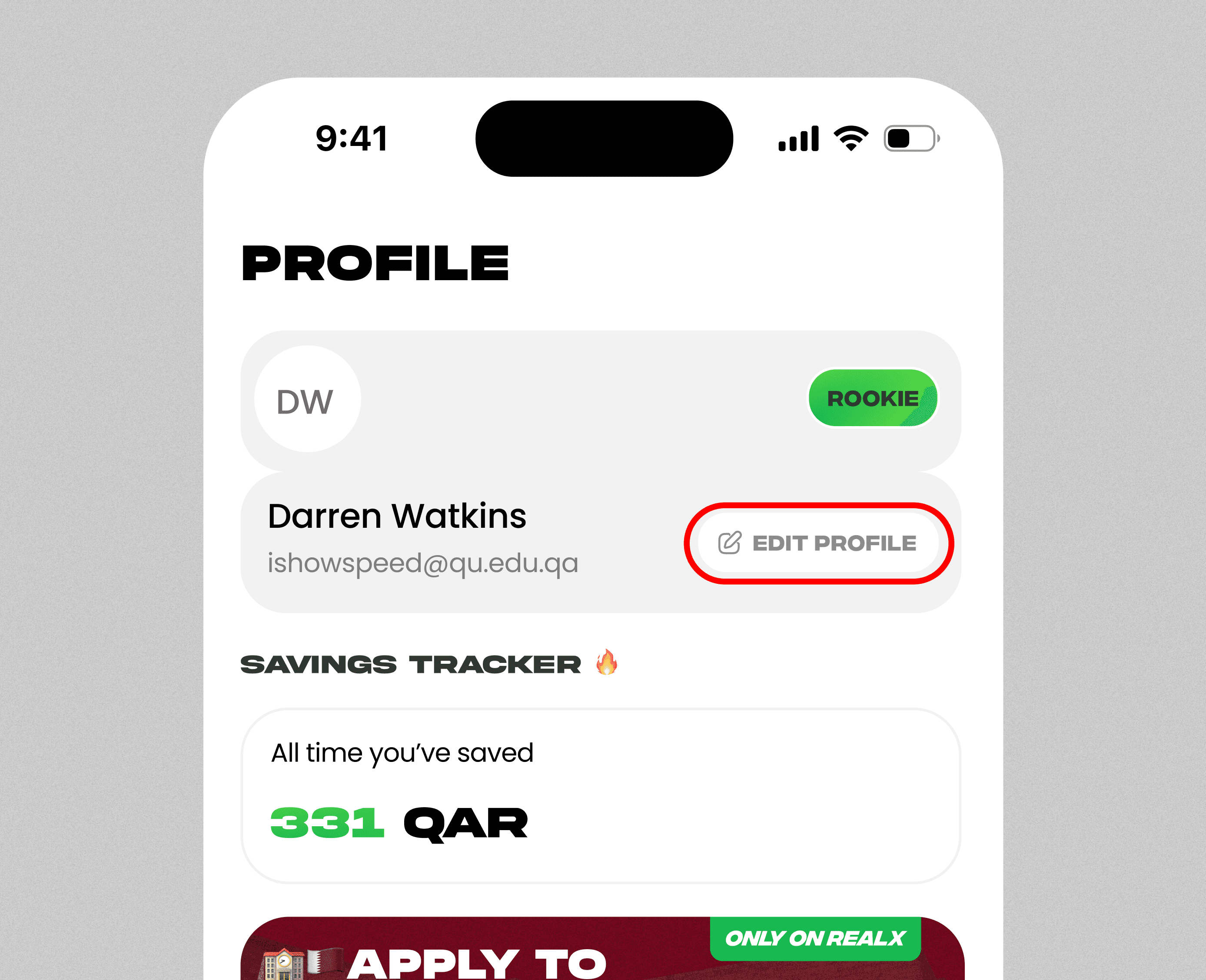
Open the app and navigate to the Profile page.
-
Tap on Profile Details.
-
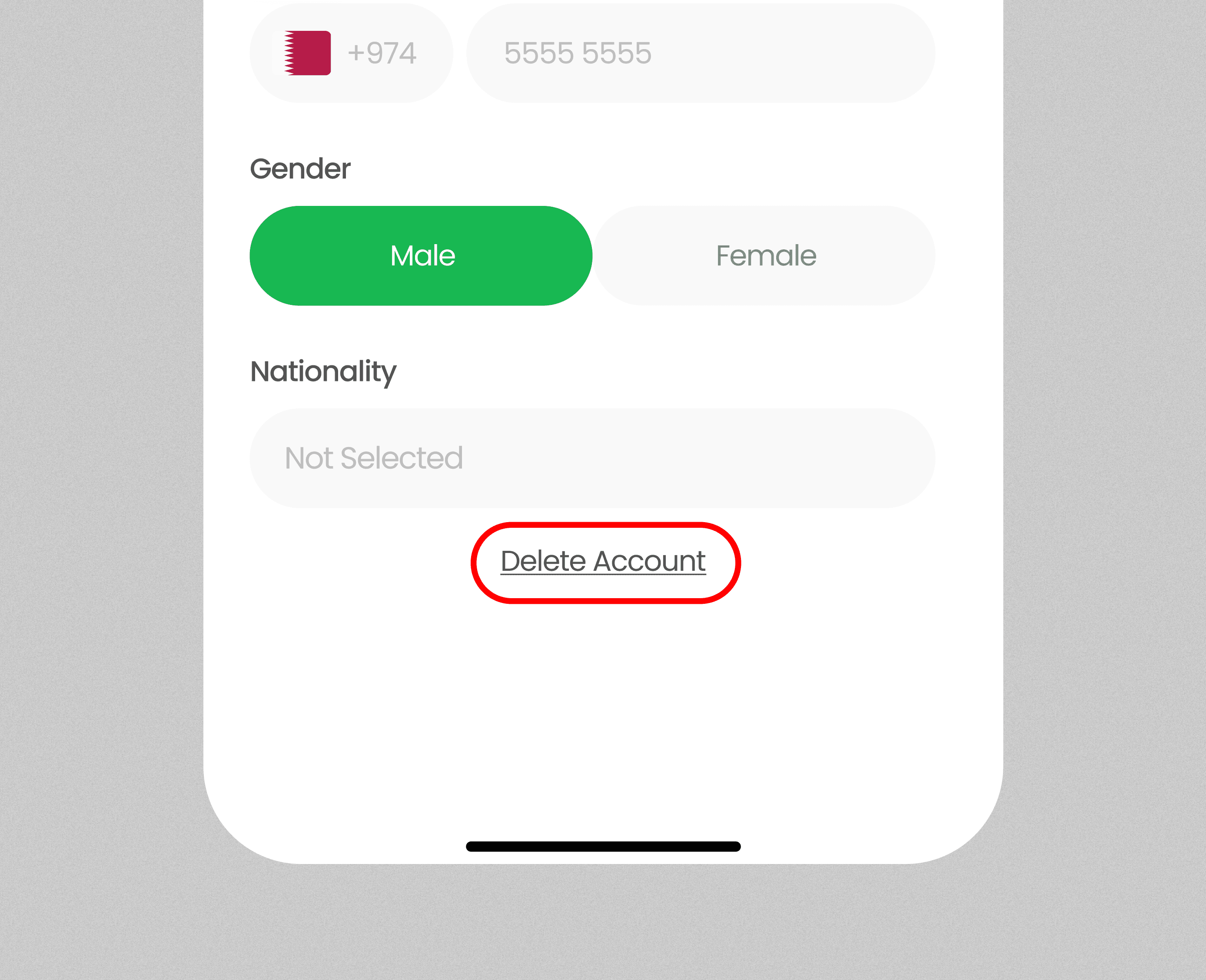
Scroll down to the bottom of the screen.
-
Click on Delete Account.
-
Confirm your action to permanently delete your data.
Once deleted, your account and all data cannot be recovered.
Deleting your account will permanently remove all data as per our Terms & Conditions and Privacy Policy . This action cannot be undone.
To delete your account and all associated data, follow these steps:
-
Open the app and navigate to the Profile page.
-
Tap on Profile Details.
-
Scroll down to the bottom of the screen.
-
Click on Delete Account.
-
Confirm your action to permanently delete your data.
Once deleted, your account and all data cannot be recovered.
Deleting your account will permanently remove all data as per our Terms & Conditions and Privacy Policy . This action cannot be undone.
STEP BY STEP PROCESS
3
Browse deals
Explore categories like food, coffee, groceries, and more.
1
Profile Page
Go to the Profile page and tap Edit Profile.
1
Profile Page
Go to the Profile page and tap Edit Profile.
2
Edit Profile Page
Scroll down and select Delete Account to remove your data permanently.
2
Edit Profile Page
Scroll down and select Delete Account to remove your data permanently.
3
Browse deals
Explore categories like food, coffee, groceries, and more.